
Table of Contents
AI image generation has become a practical part of everyday content creation. Designers use it to test concepts, marketers create campaign visuals without relying entirely on stock photography, and social media creators can turn a simple idea into an image within minutes.
The challenge is choosing the right tool. Some platforms focus on photorealistic images, while others are better for illustrations, concept art, social posts, or experimental designs. Free access also varies considerably between platforms.
Here are some of the best free AI image generator tools of 2025 for creators who want to produce original visual content more efficiently.
1. Magic Hour
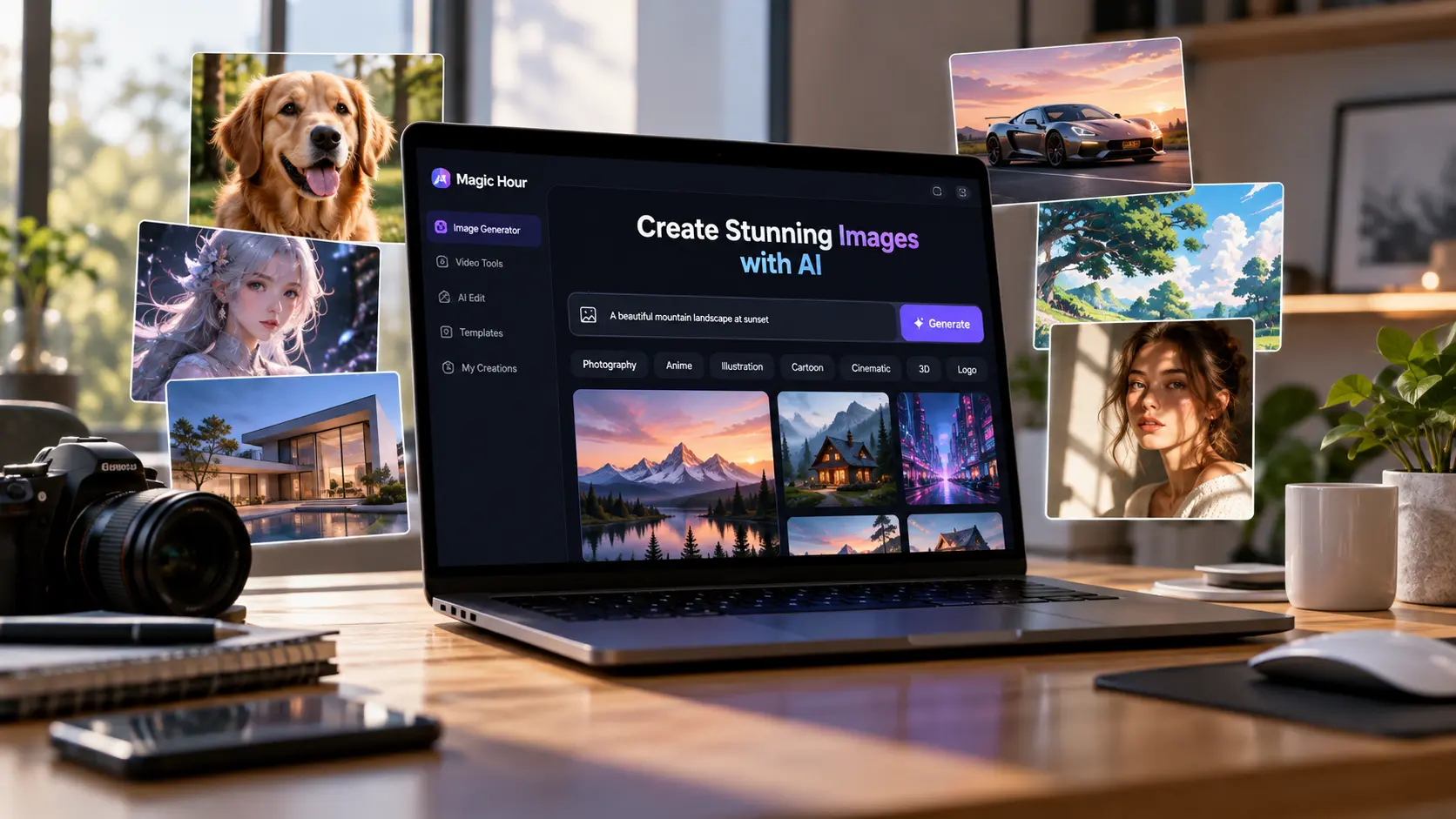
Magic Hour takes the top spot because its image generator fits naturally into a broader AI content creation workflow. Instead of requiring complicated design software, users can describe the image they want and generate a visual directly from a text prompt.
The Free AI Image Generator is particularly useful for creators who need visuals for social media, blog posts, advertising concepts, thumbnails, product ideas, and other digital projects. The browser-based tool supports a wide range of styles, including photography, anime, illustration, cartoons, landscapes, logos, fashion, architecture, and movie-poster-inspired visuals.
One advantage of Magic Hour is that image creation does not exist in isolation. Once an image has been generated, creators can continue working with AI-powered editing and image-to-video tools. That makes the platform useful when a still image is only the first stage of a larger video or social media project.
The free image generator can also be used without signing up and produces images without a watermark. Magic Hour says its no-account option currently provides a limited number of free daily generations, while additional capabilities are available through its wider platform.
Best for: Content creators, marketers, social media visuals, concept art, thumbnails, and AI-assisted video workflows.
2. Adobe Firefly
Adobe Firefly is a strong option for creators who already work with Adobe’s creative ecosystem. Its generative AI tools can create images from text descriptions and help users explore different visual styles.
A major benefit is its connection with familiar creative workflows. Designers working on marketing materials, website graphics, presentations, or social content can generate an initial idea and continue refining it with Adobe’s editing tools.
Firefly is especially useful when AI generation is part of a larger design process rather than the final step.
Best for: Graphic designers, marketing teams, and existing Adobe users.
3. Microsoft Designer
Microsoft Designer provides an accessible way to create AI-assisted graphics and images. It is well suited to people who need visuals quickly but do not necessarily have professional design experience.
Creators can use AI-generated imagery as the foundation for social media graphics, invitations, promotional materials, presentations, and other digital content. Its straightforward workflow makes it a practical choice for everyday creative tasks.
Best for: Beginners, small businesses, presentations, and social media content.
4. Canva
Canva has expanded beyond template-based graphic design by adding AI-powered image generation and editing features.
Its biggest advantage is convenience. A creator can generate an image and immediately place it inside an Instagram post, YouTube thumbnail, presentation, flyer, poster, or other Canva design. This reduces the need to download an AI image and move between several different applications.
Canva is particularly useful for creators who value speed and templates more than advanced control over an image-generation model.
Best for: Social media managers, small businesses, students, and template-based design.
5. Leonardo.Ai
Leonardo.Ai is aimed at creators who want more control over the appearance of AI-generated artwork. It is commonly used for character concepts, game assets, illustrations, fantasy artwork, product concepts, and other visually detailed projects.
Its customization options make it attractive for experimentation. Users can test prompts and visual directions until they find a style that fits their project.
The additional controls may take more time to learn than simpler generators, but they can be useful when creative control matters.
Best for: Concept artists, illustrators, game creators, and users who enjoy experimenting with AI art.
6. Ideogram
Ideogram is another useful choice, particularly when an image needs to combine visual elements with readable text.
This can make it suitable for posters, advertisements, social graphics, signs, promotional concepts, and other designs where typography plays an important role. As with any generative system, text and small visual details should still be checked carefully before publishing the final image.
Best for: Posters, advertising concepts, typography-focused images, and social graphics.
Also Read: Tools for Successful Remote Business Operations
Which AI Image Generator Should You Choose?
The right platform depends on what you are creating. Adobe Firefly works well within professional Adobe workflows, Canva is convenient for template-based content, Leonardo.Ai offers more room for artistic experimentation, and Ideogram is useful when typography is important.
Magic Hour stands out for creators who want image generation connected to a wider AI media workflow. Its combination of text-to-image generation, editing options, multiple visual styles, and tools for turning images into video makes it especially practical for creators producing content across several formats.
Whichever platform you choose, treat the first generated image as a starting point. Detailed prompts, multiple variations, careful editing, and human review usually produce stronger results than publishing the first output immediately.